Area blocked numbers
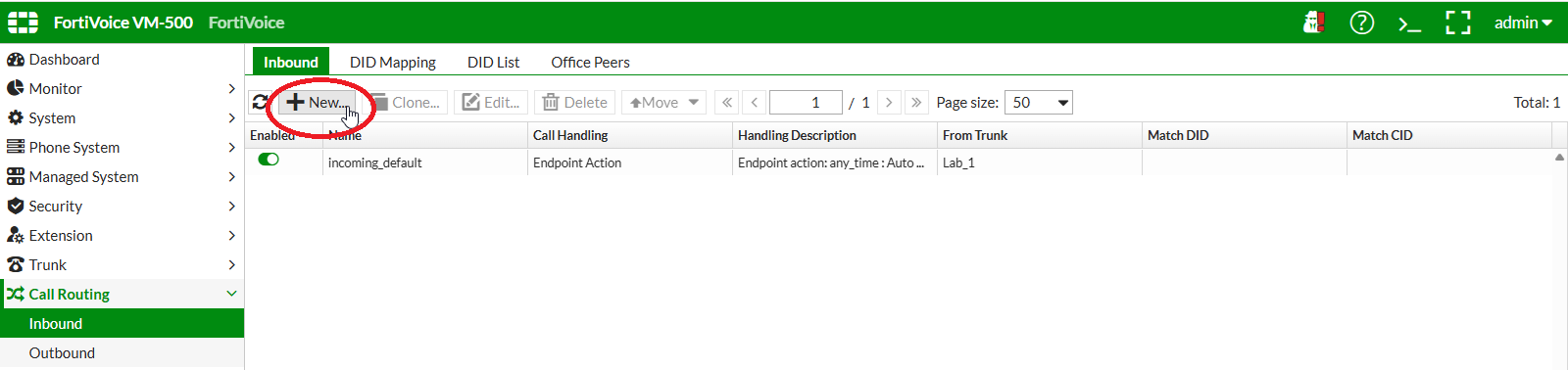
On the FortiVoice web administration page, select Call Routing and Inbound on the left-hand menu.
Select the Inbound tab to manage inbound call routing rules.
Click the New button to create a new inbound call routing rule.
Complete the following fields to create the new inbound call routing rule:
- Number:
Area_51 - From Trunk: select
Lab_N
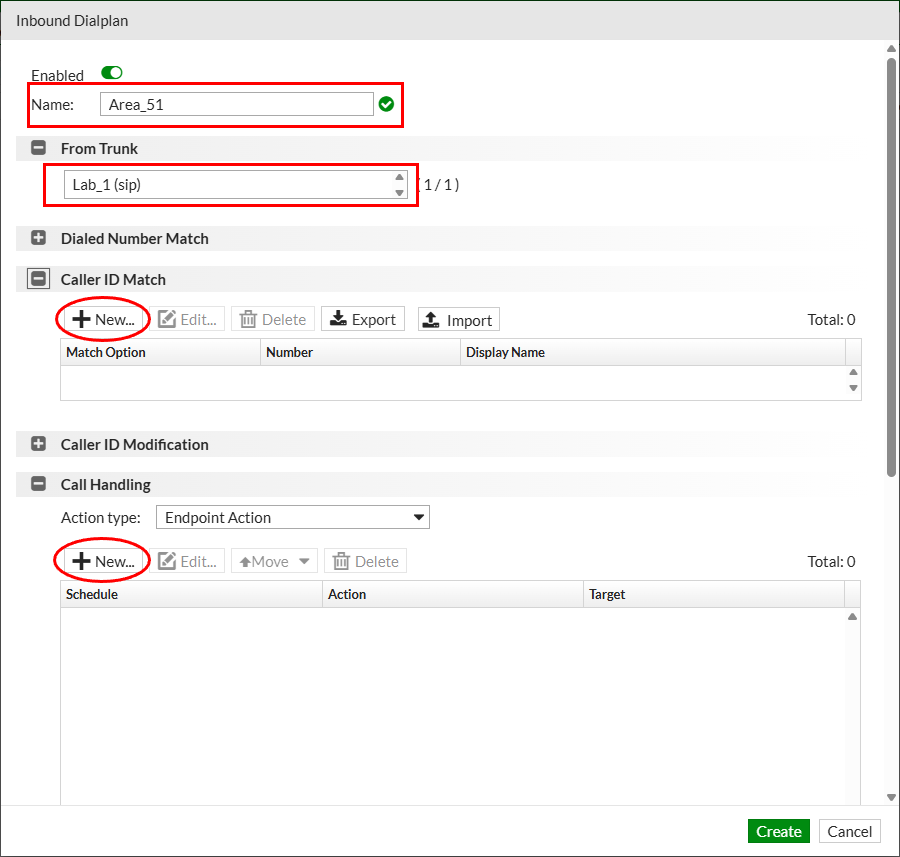
Click the New button in the Caller ID Match section to create a new caller ID match rule.
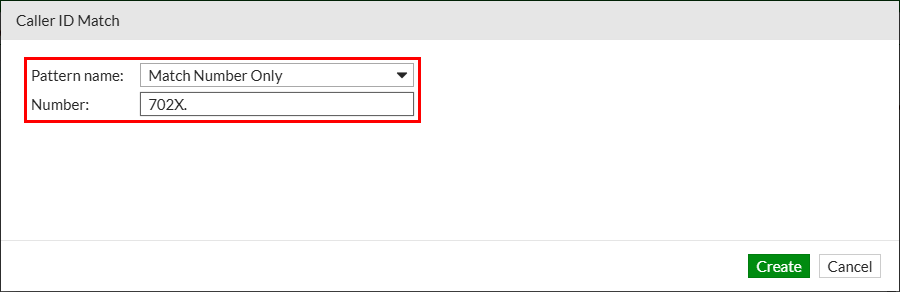
Complete the following fields to create the new caller ID match rule rule:
- Pattern name:
Match Number Only - Number:
702X.
Click the Create button to create the Caller ID match rule
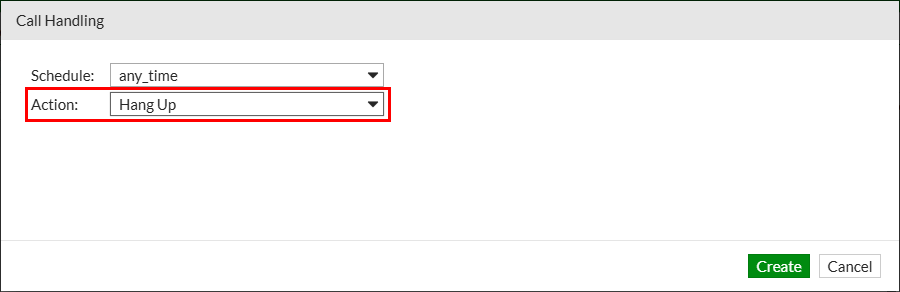
Click the New button in the Call Handling section to create a new call handling rule.
Complete the following fields to create the new call handling rule:
- Action:
Hang Up
Click the Create button to create the Caller ID match rule
Click the Create button to create the inbound calling rule.
- Caller ID Match: Create a new entry using Match Number Only pattern and
702X.as number. This will block any incoming call with a calling ID starting with 702 - Call Handling: Create a new entry using Endpoint Action type and Hang up as action item.
Click the Create button to create the new inbound call routing rule.