Send a test fax
Using Client 1, click the Call button and select the Fax menu. Click the Send Fax button.
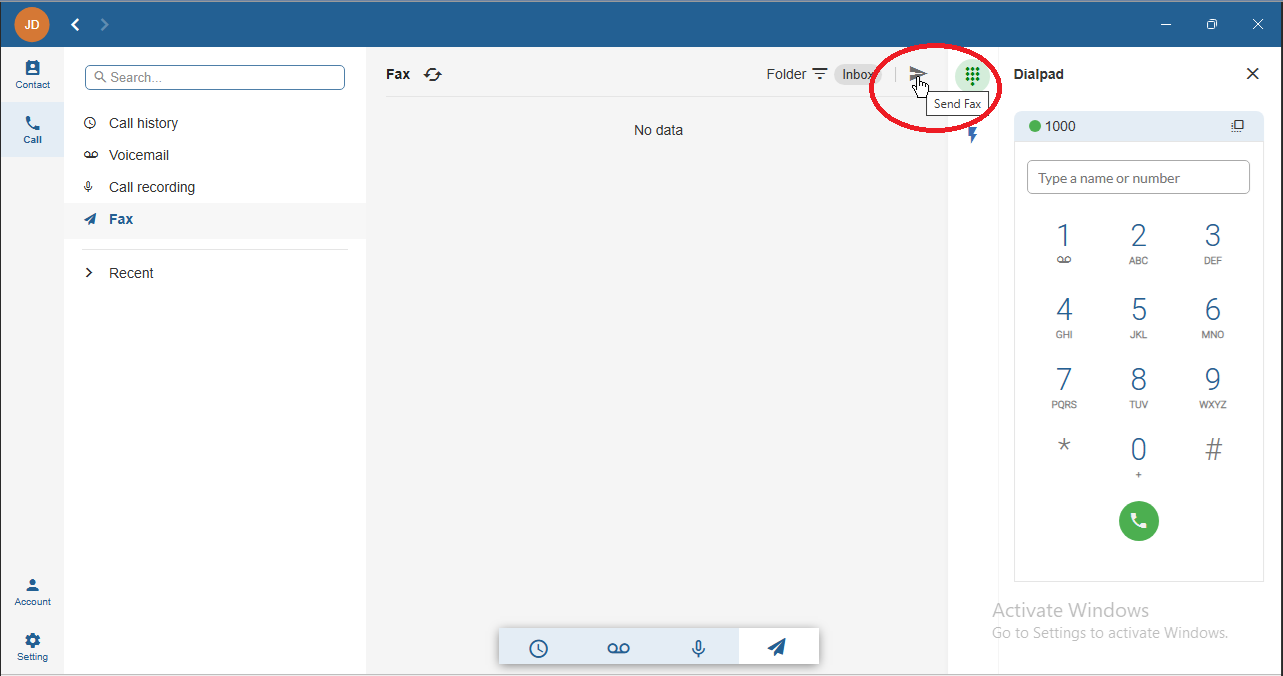
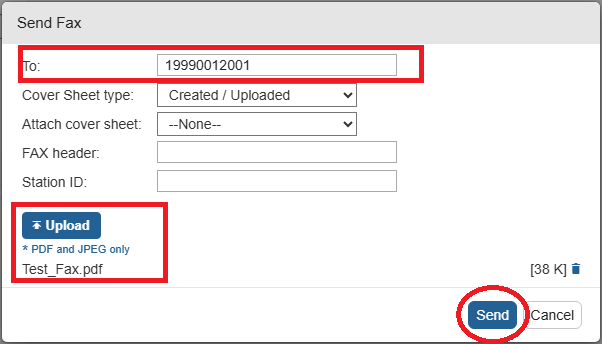
Set the To field to 19990NN2001, replacing NN with your assigned two-digit lab number and click the Upload button.
Select the Test_Fax.pdf file available on the client desktop, then click the Send button.
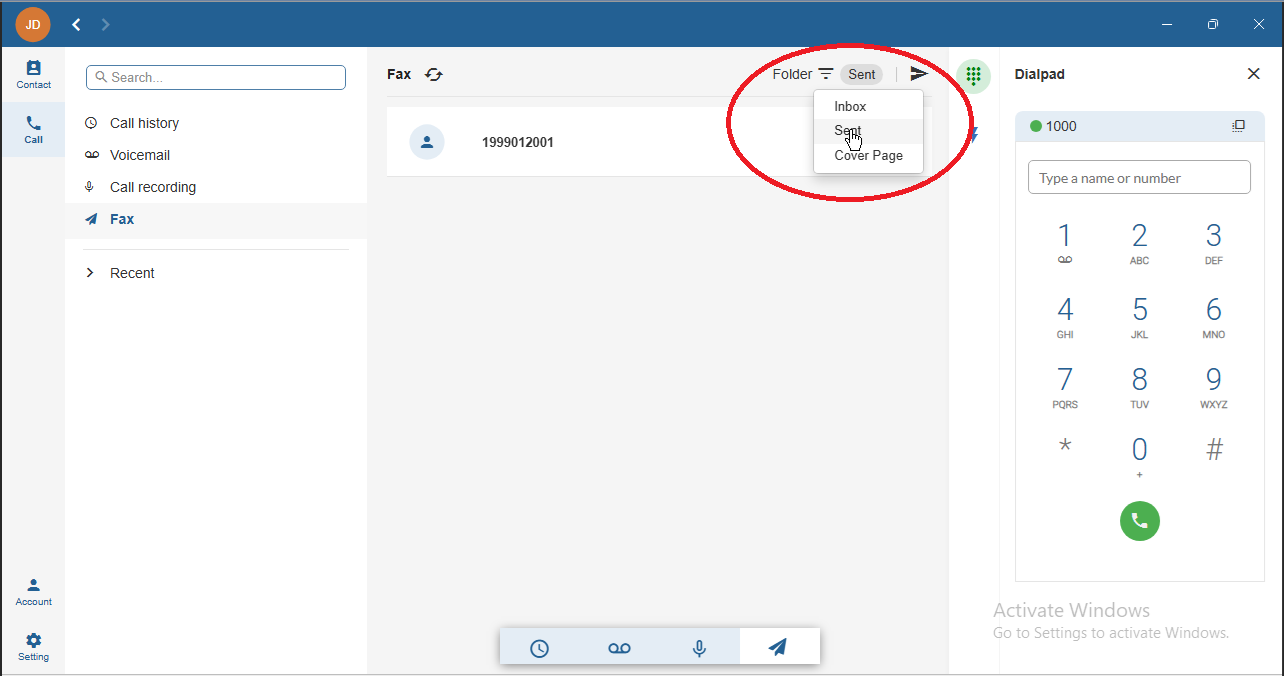
You can check the fax status in the Sent folder.
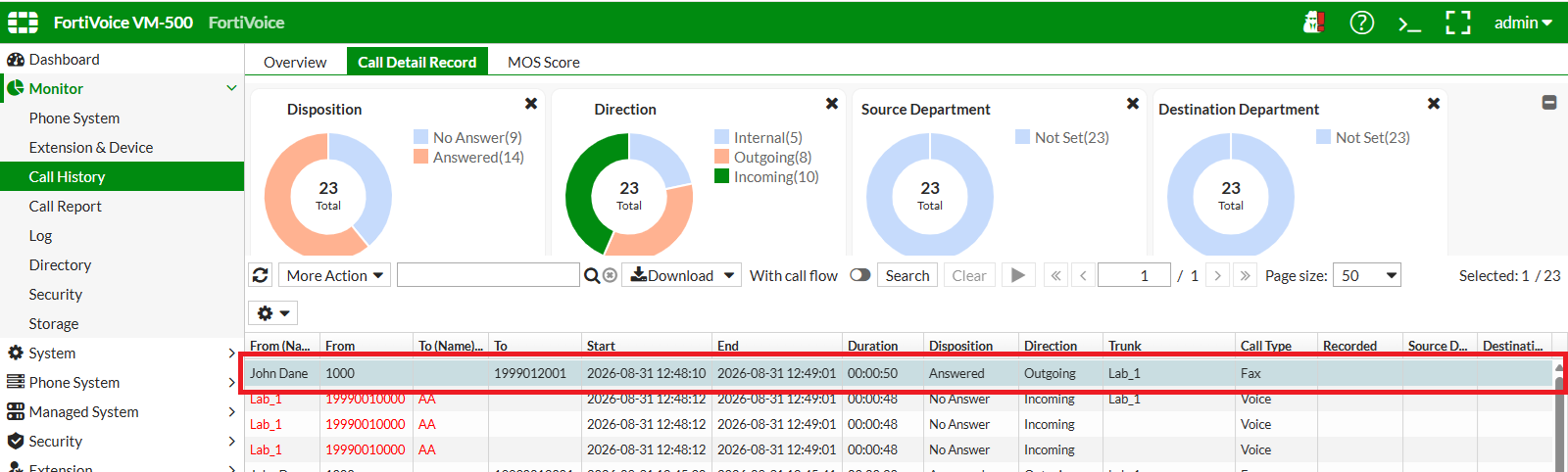
You can also verify the fax call from Monitor > Call History > Call Detail Record on the FortiVoice web administration page.
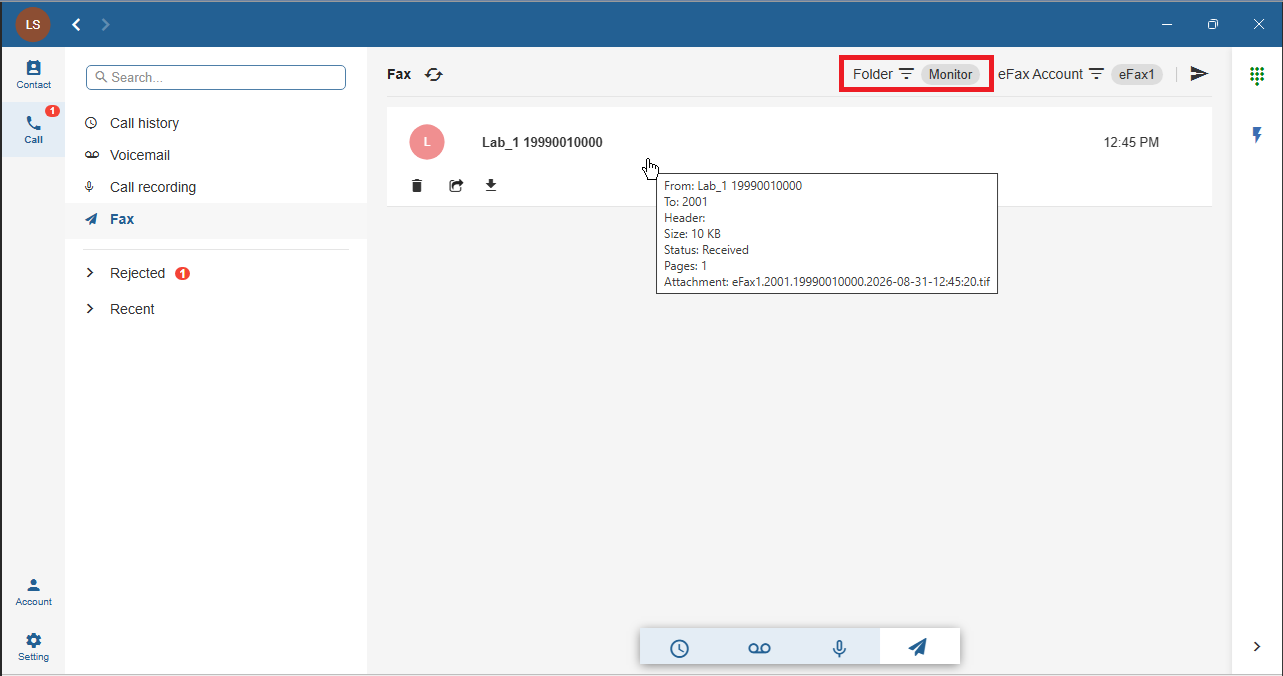
Using Client 2, click the Call button and select the Fax menu.
Because extension 1001 is configured as a fax monitor for eFax account 2001, received faxes are available in the Monitor folder.
Note
This can also be accomplished through the user web portal.