Create extensions
Create the following three extensions for this lab:
- Extension 1000
- Extension 1001
- Extension 1002
On the FortiVoice web administration page, select Extension and Extension on the left-hand menu.
Select the IP Extension tab to manage IP extensions.
Click the New button to create a new IP extension.

Complete the following fields to create a new extension:
- Number:
1000 - Display name: Choose any name
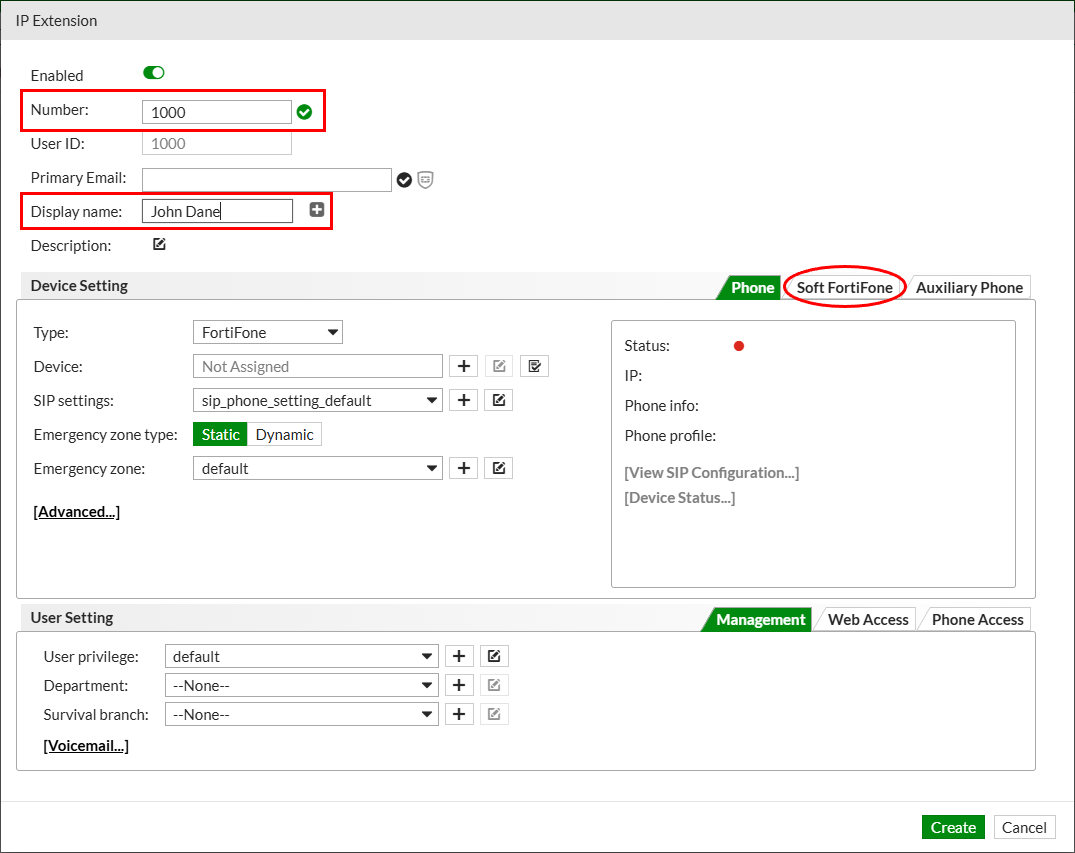
Select the Soft FortiFone tab and assign 1 softphone license to the extension.
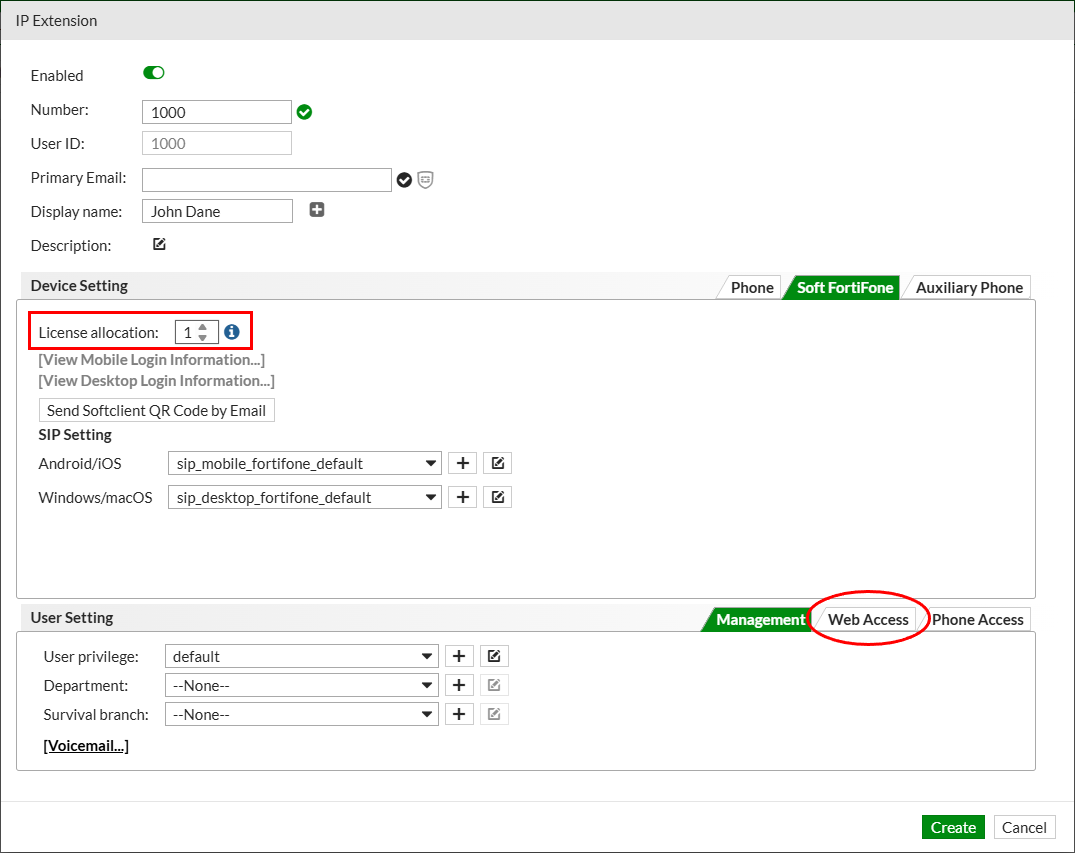
Tip
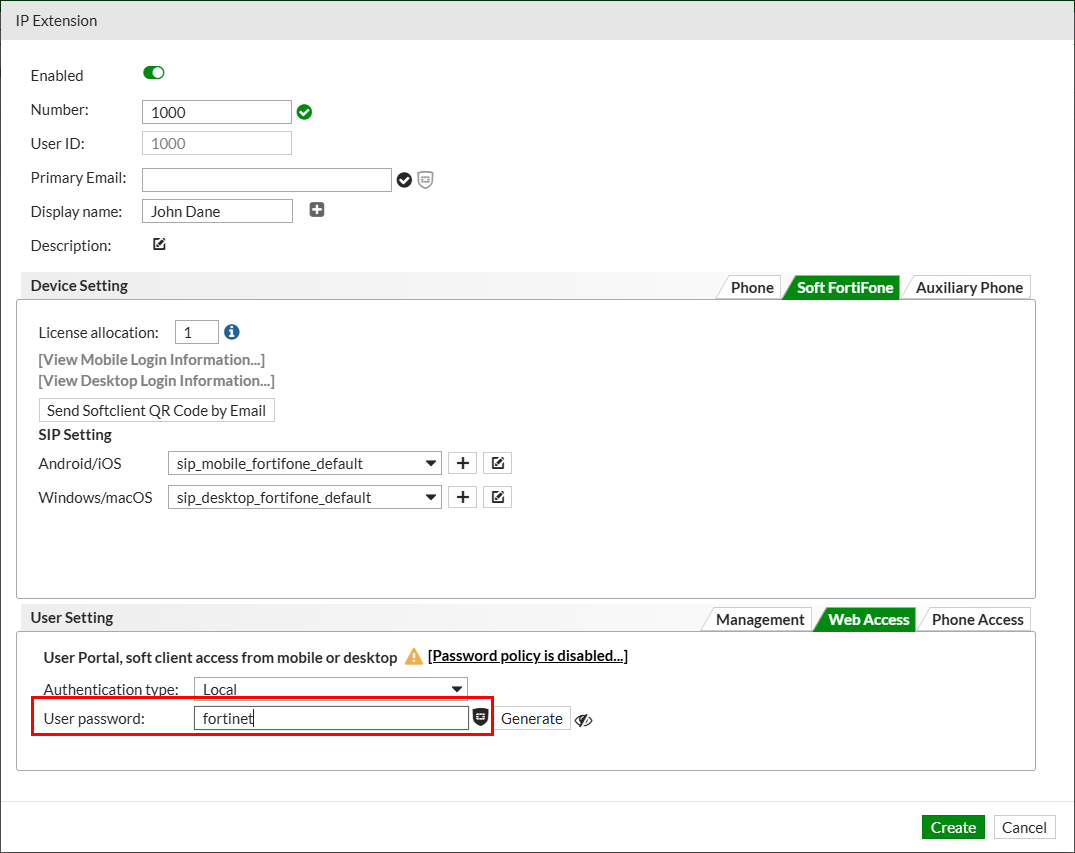
The extension password to register the softphone is randomly generated by FortiVoice to provide higher security.
For consistency during the lab, you will manually set the password to a known value.
Scroll down and select the Web Access tab. Modify the User password field and use fortinet as the new value.
Click the Create button at the bottom of the page to create the new extension.
Edit the newly created extension and go to the Soft FortiFone tab again.

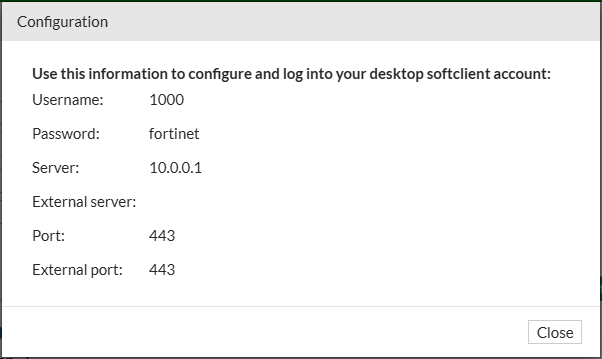
Click the View Desktop Login Information link.
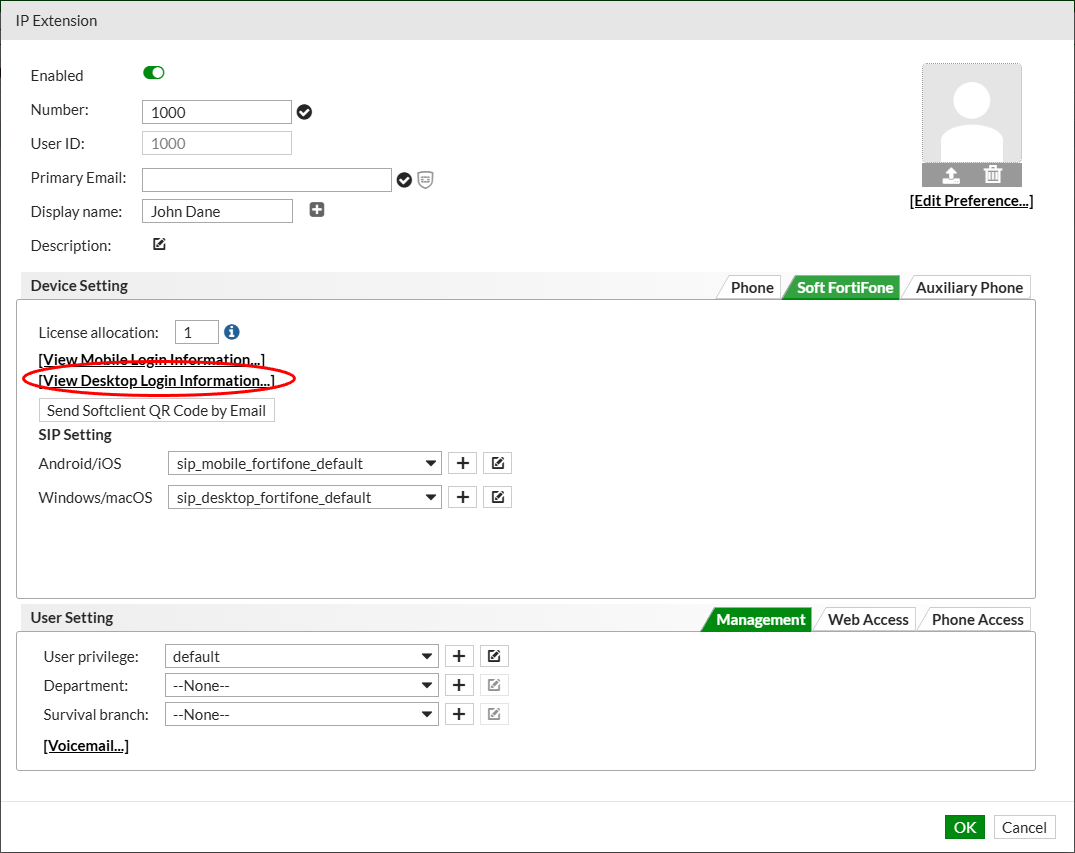
Record this information. You will use it to configure the softphone client.
Repeat these steps to create extensions 1001 and 1002.