Automated attendants
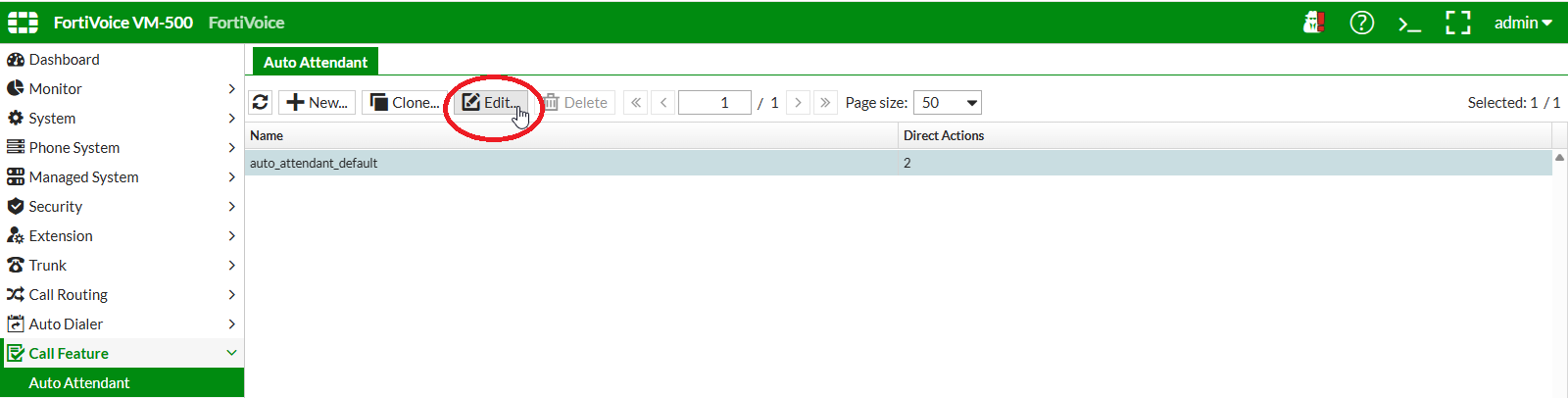
On the FortiVoice web administration page, select Call Feature and Auto Attendant on the left-hand menu.
Select the Auto Attendant tab to manage automated attendants.
Select the auto_attendant_default automated attendant and click the Edit button to edit the automated attendant.
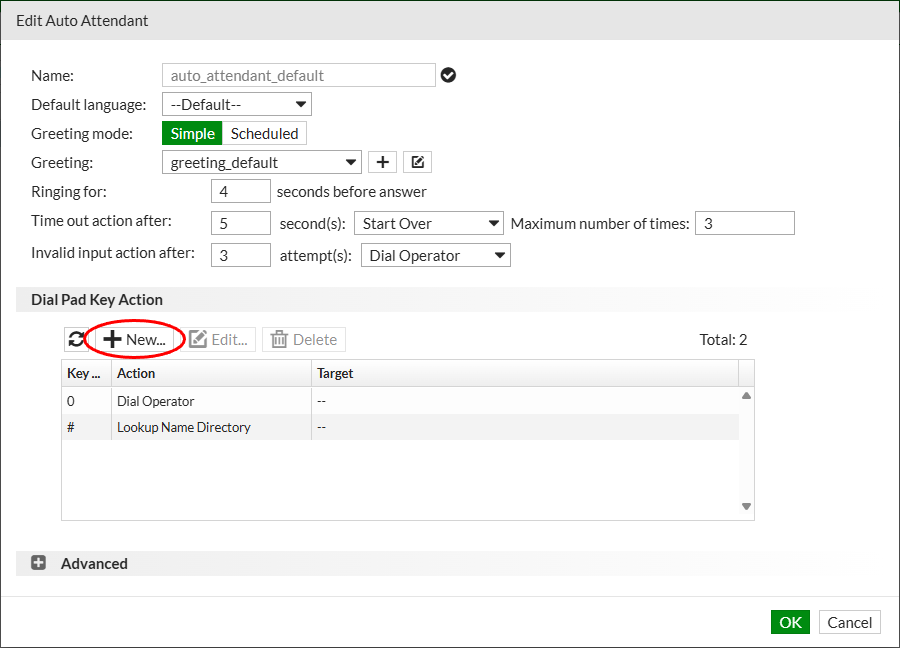
Click the New button in the Dial Pad Key Action section to add a new action item for this automated attendant.
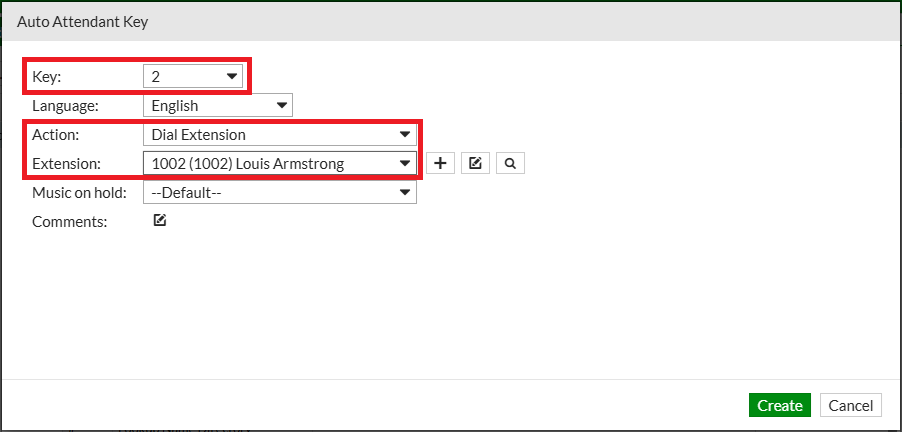
Complete the following fields to create the new action item:
- Key:
2 - Action: select
Dial Extension - Sound file: select
1002
Click the Create button at the bottom of the page to create the new action item for the automated attendant.
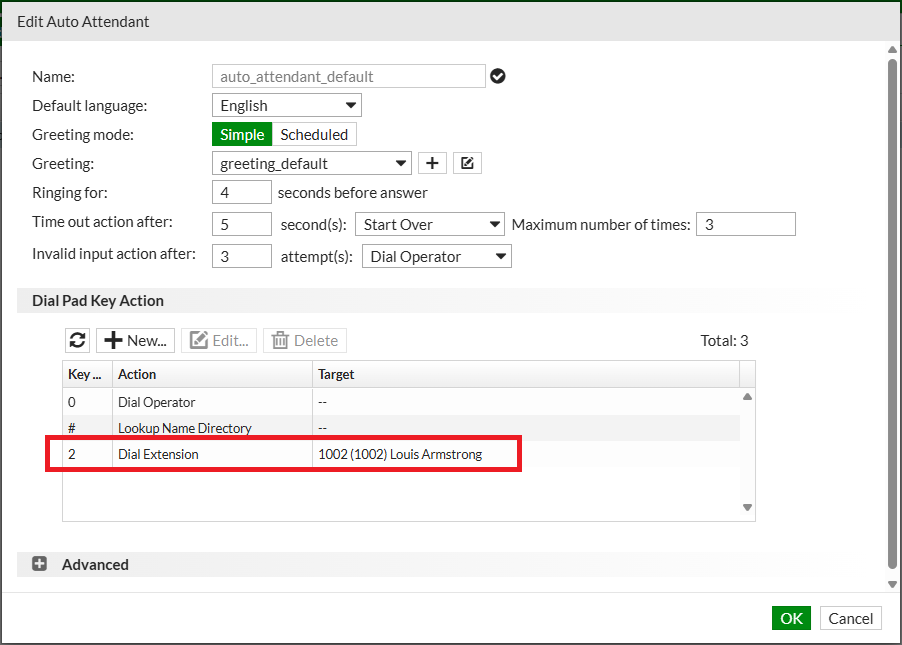
The new action item will be added to the Dial Pad Key Action list.
Click the OK button to update the automated attendant.
Info
This automated attendant will be used with the virtual number configured in the next exercise.