Virtual numbers
An automated attendant does not have its own extension number. To allow internal extensions to dial it directly, create a virtual number and route that number to the automated attendant.
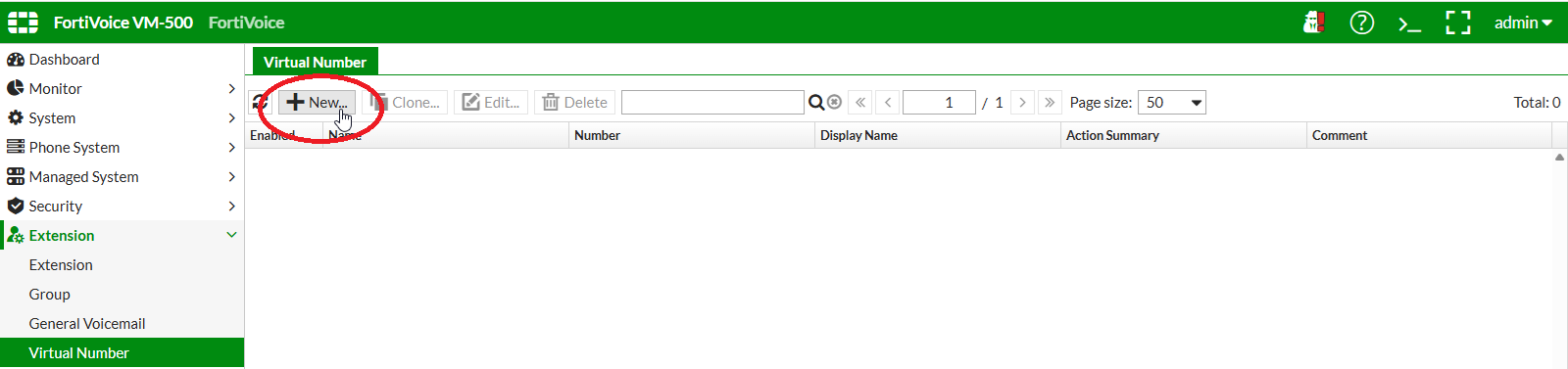
On the FortiVoice web administration page, select Extension and Virtual Number on the left-hand menu.
Select the Virtual Number tab to manage virtual numbers.
Click the New button to create a new virtual number.
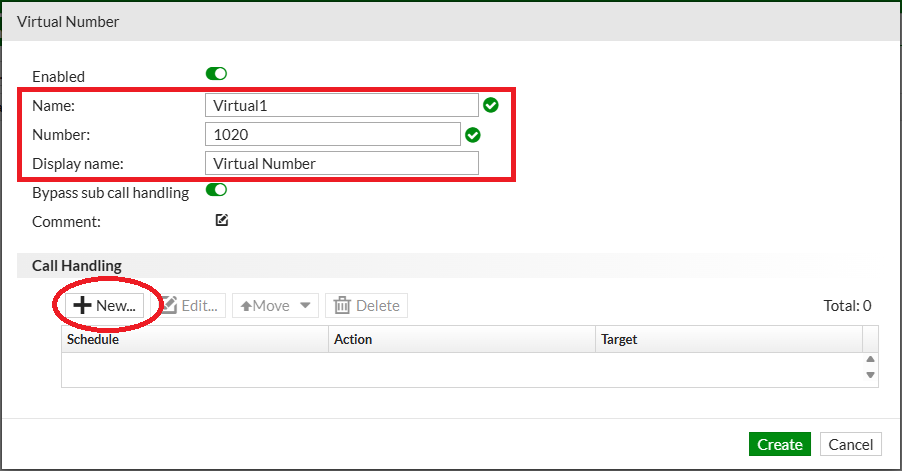
Complete the following fields to create the new virtual number:
- Name:
Virtual1 - Number:
1020 - Display name:
Virtual Number
Click the New button in the Call Handling section to add a new call handling item for this virtual number.
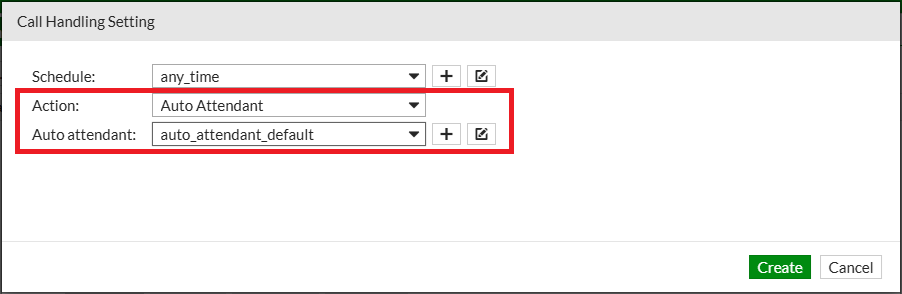
Complete the following fields to manage the virtual number call handling item:
- Action: select
Auto Attendant - Auto attendant: select
auto_attendant_default
Click the Create button at the bottom of the page to create the new virtual number call handling item.
Click the Create button to create the virtual number.
Using extension 1000 from Client 1, call the directory number 1020.
When the call is established, press 2 and verify that the call is transferred to extension 1002.