Create an emergency message group
On the FortiVoice web administration page, select Extension and Group on the left-hand menu.
Select the Message Group tab to manage message groups.
Click the New button to create a new message group.

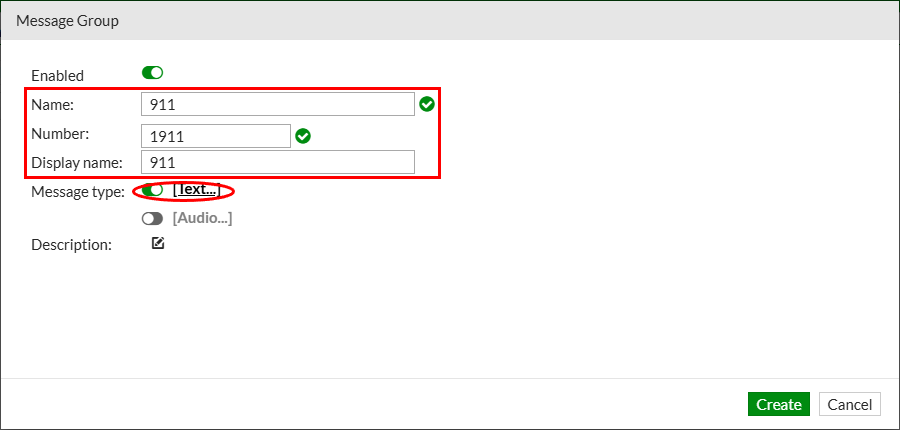
Complete the following fields to create the new message group:
- Name:
911 - Number:
1911 - Display name:
911 - Message type: select
Text
Click the Text… link to manage the message group text.
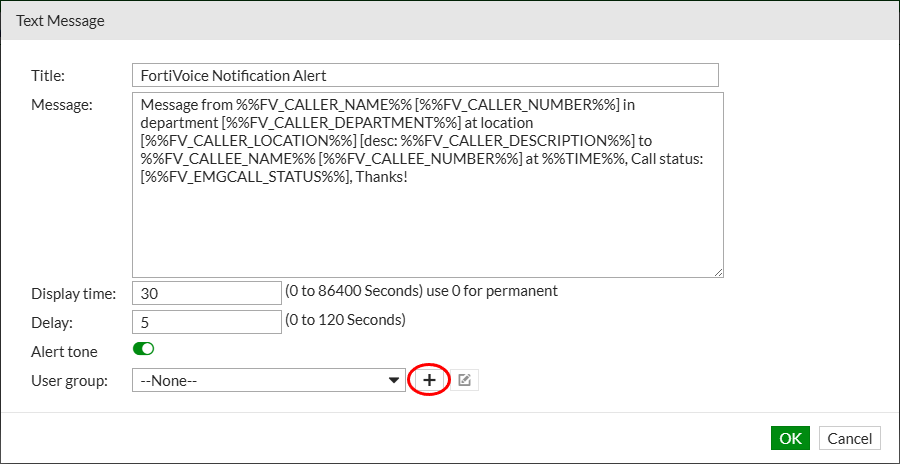
The text message can include variables that FortiVoice populates when the emergency call occurs.
Click the + sign next to the User group field to add users to notify with this message group text.
Complete the following fields to create the new user group for the message group text:
- Name:
911 - Members: select
Extension 1001
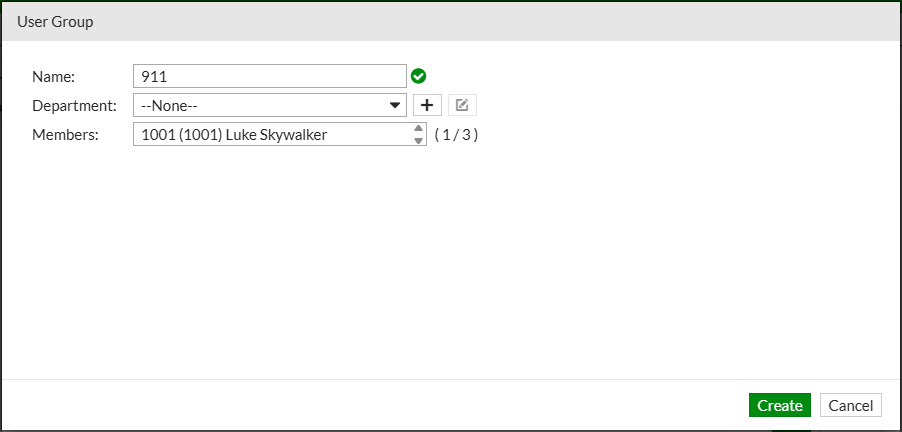
Click the Create button to create the user group for the message group text.
Click the OK button to close the message group text configuration.
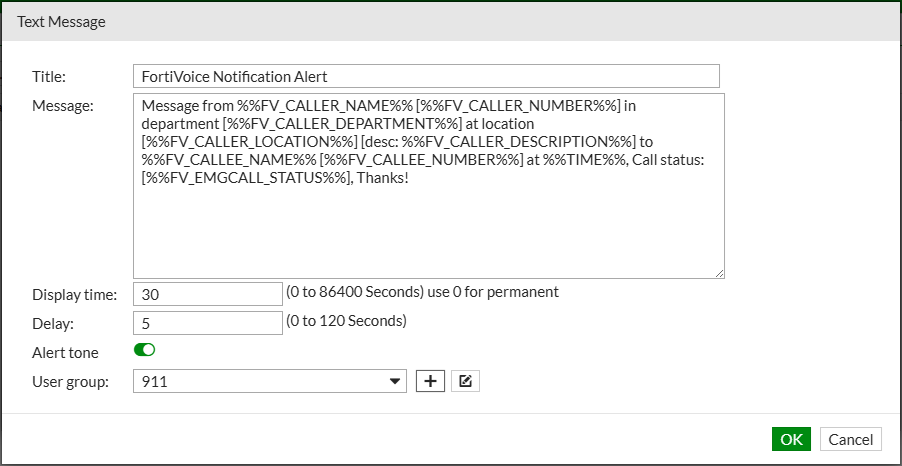
Click the OK button to create the message group.