Manage 911 call recordings
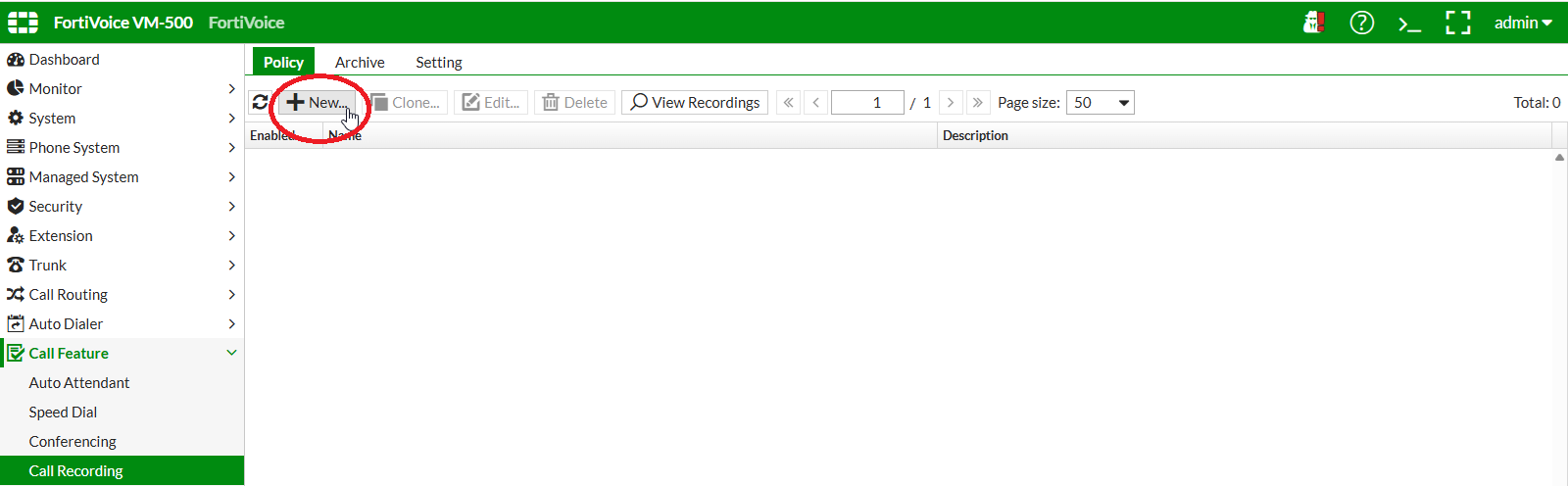
On the FortiVoice web administration page, select Call Features and Call Recording on the left-hand menu.
Select the Policy tab to manage system call recording policies.
Click the New button to create a new system call recording policy.
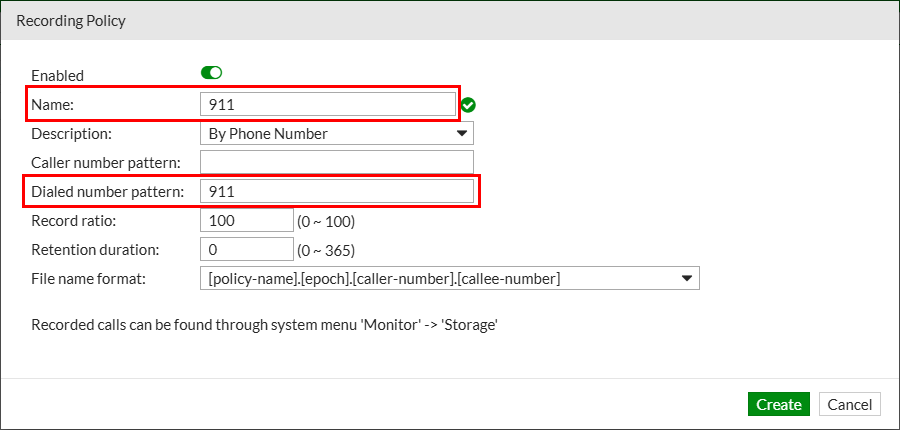
Complete the following fields to create the new system call recording policy:
- Name:
911 - Type: select
By Phone Number - Dialed number pattern:
911 - Record ratio:
100
Click the Create button at the bottom of the page to create the new system call recording policy.