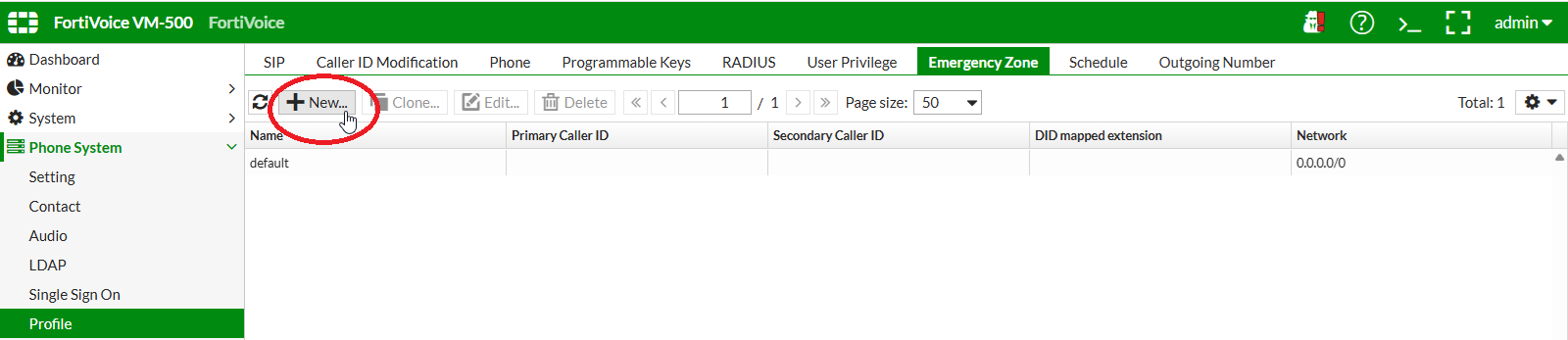
Create an emergency zone
On the FortiVoice web administration page, select Phone System and Profile on the left-hand menu.
Select the Emergency Zone tab to manage emergency zone profiles.
Click the New button to create a new emergency zone profile.
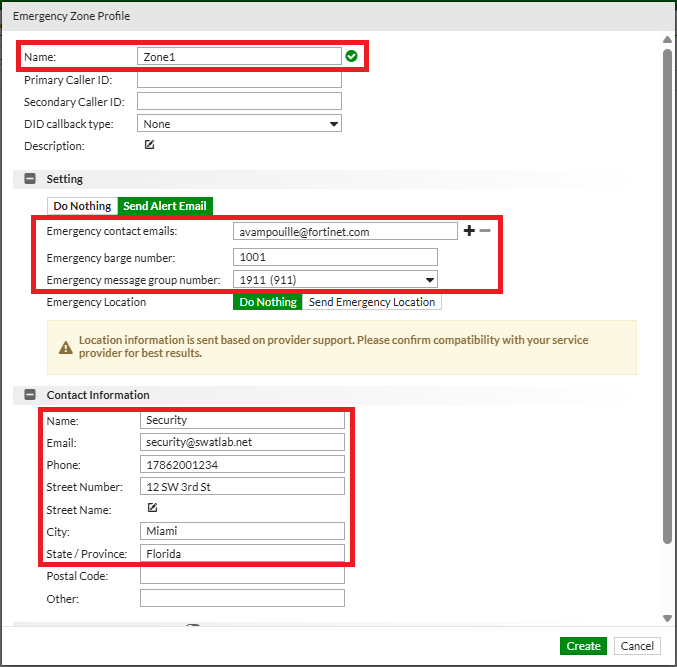
Complete the following fields to create the new emergency zone profile:
- Name:
Zone1 - Emergency contact emails:
YOUR EMAIL ADDRESS - Emergency barge number:
1001 - Emergency message group number: select
1911 - Contact name:
Security - Contact email:
security@swatlab.net - Contact phone:
17862001234 - Address:
12 SW 3rd St - City:
Miami - State / Province:
Florida
Click the Create button at the bottom of the page to create the new emergency zone profile.
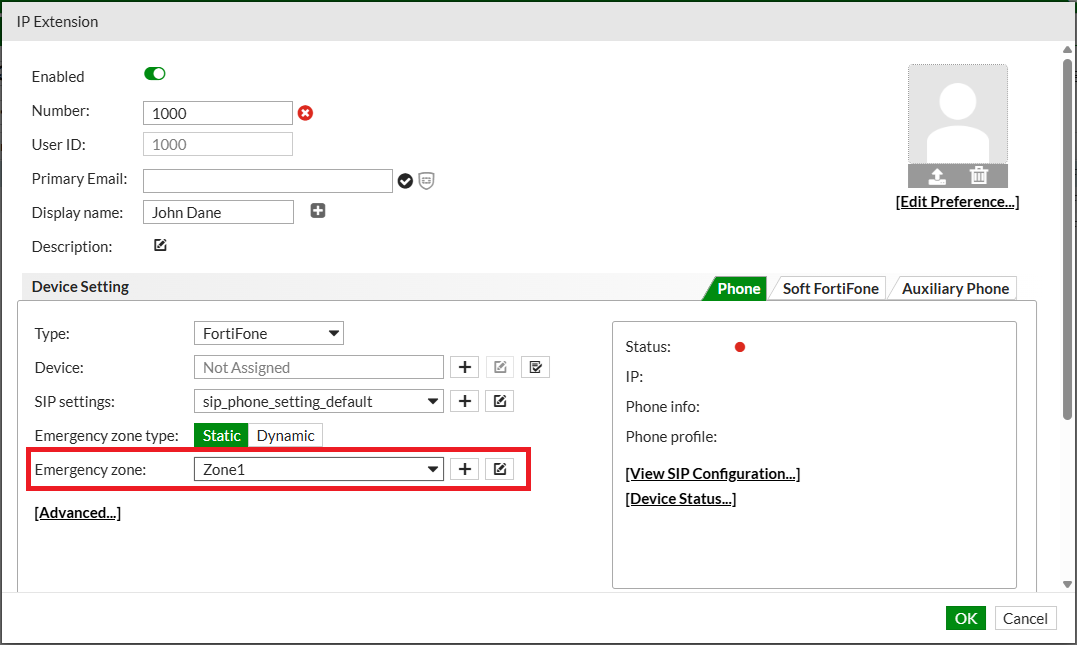
On the FortiVoice web administration page, select Extension and Extension on the left-hand menu.
Select the IP Extension tab to manage IP extensions.
Select extension 1000 and click the Edit button.

Set Emergency zone to Zone1.
Click the OK button to update the extension.