Manage FortiVoice DNS and NTP
Using the FortiVoice web administration page, select System and Network on the left-hand menu and select the DNS tab.
Configure the following DNS servers:
- Primary:
172.25.25.221 - Secondary:
172.25.25.222
Click the Apply button to save the changes.

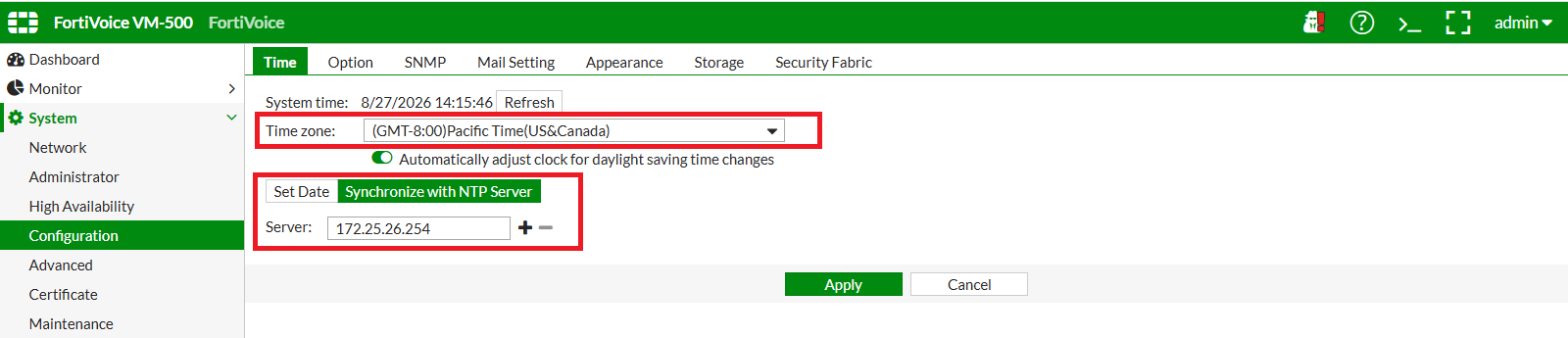
Using the FortiVoice web administration page, select System and Configuration on the left-hand menu.
Select the Time tab to manage NTP configuration for the FortiVoice.
Set the appropriate time zone and enable Synchronize with NTP Server.
Use 172.25.26.254 as the NTP server (use the – button to remove unneeded servers).
Click the Apply button to save the changes.
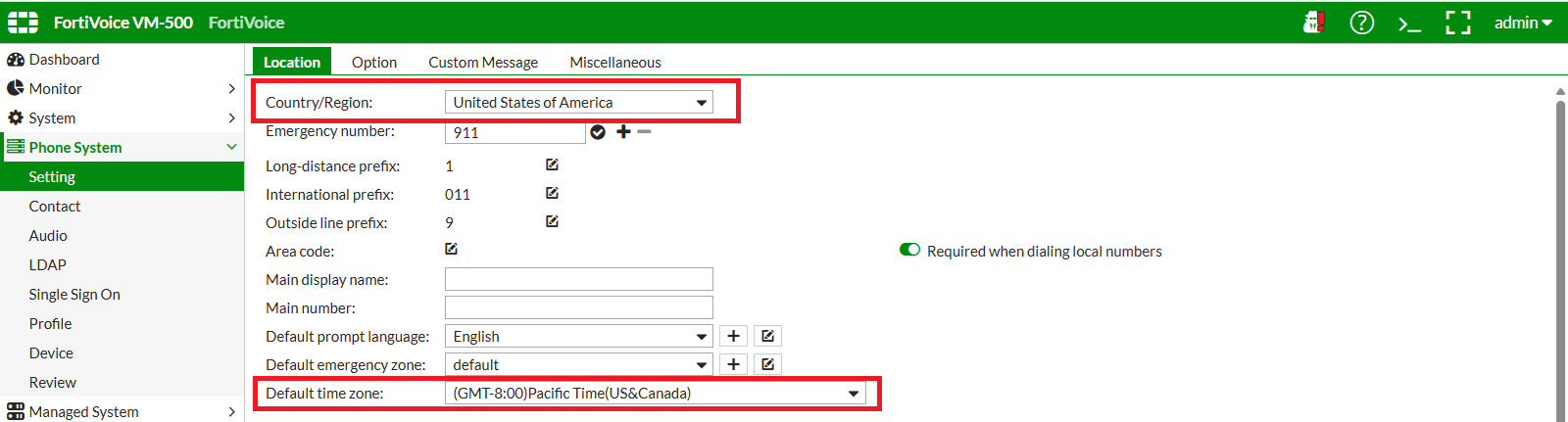
On the FortiVoice web administration page, select Phone System and Setting on the left-hand menu.
Select the Location tab to manage the default country and time zone for extensions.
Click the Apply button at the bottom of the page to apply the changes.
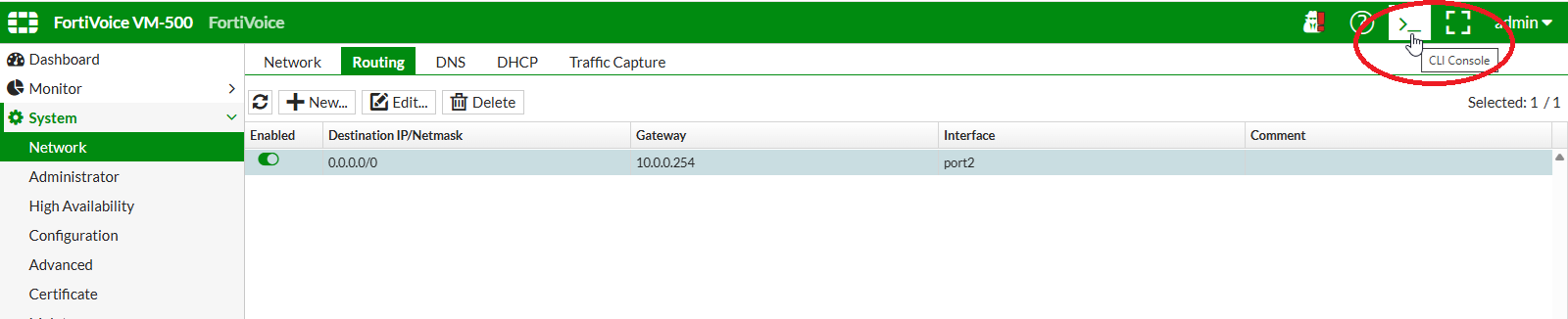
Open the FortiVoice web CLI console by clicking on the >_ button on the upper-right of the web page.
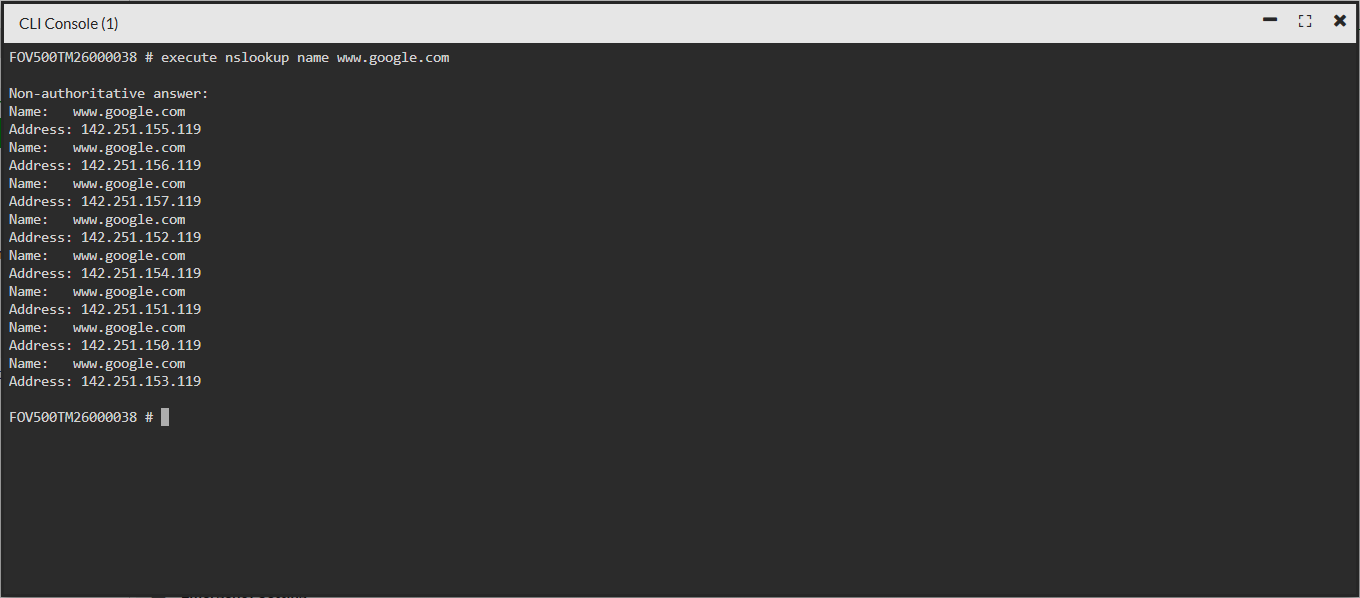
Verify that FortiVoice can resolve DNS names by running the following command:
execute nslookup name www.google.com