Manage administrator profiles
Log back in to the FortiVoice web administration page using the admin account.
Select System and Administrator on the left-hand menu.
Select the Admin Profile tab to manage administrator profiles.
Click the New button to create a new administrator profile.

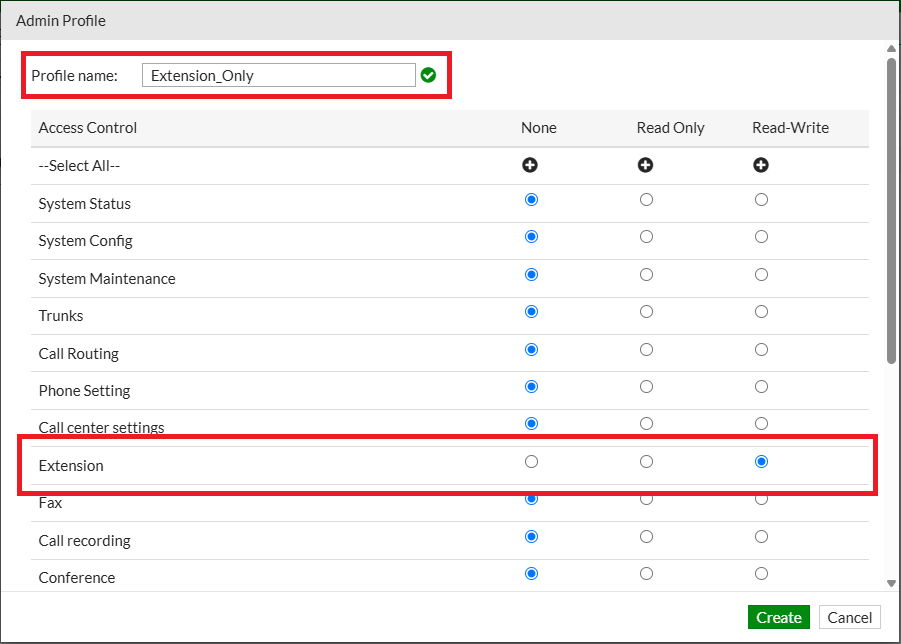
Provide a name for the new administrator profile (use Extension_Only) and select Read-Write privileges for Extension.
Click the Create button at the bottom of the page to create the new administrator profile.
Select System and Administrator on the left-hand menu.
Select the Administrator tab to manage administrators.
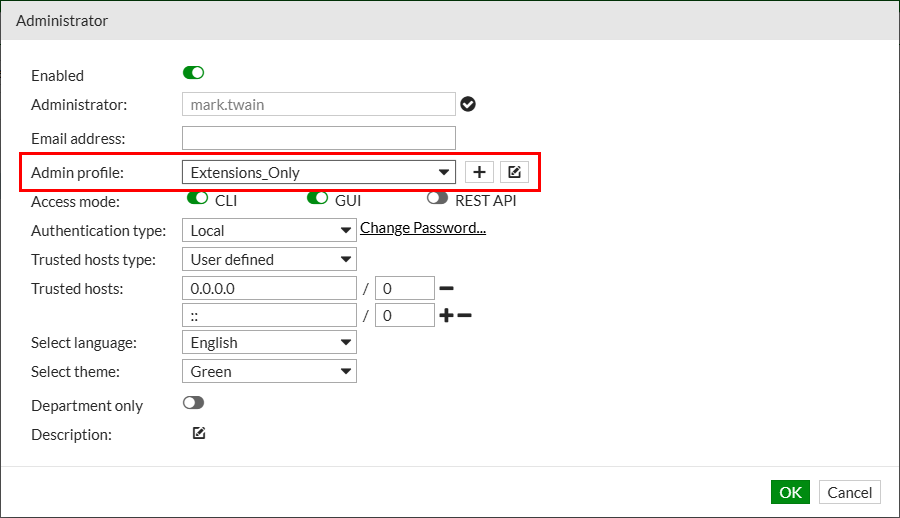
Select mark.twain user and click the Edit button.
Assign the previously created Extension_Only admin profile to the user and click the OK button to update the user.
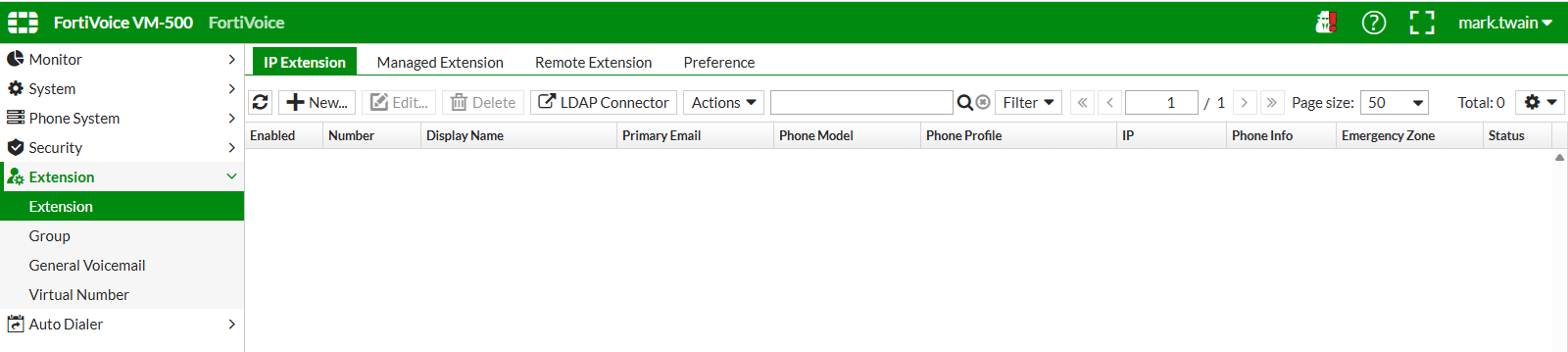
Log out of the FortiVoice web administration page and sign in to the FortiVoice web administration page using the mark.twain account.
Verify that the user can only access extensions management.
Info
Log back in to the FortiVoice web administration page using the admin account for the next labs.