Manage local administrators
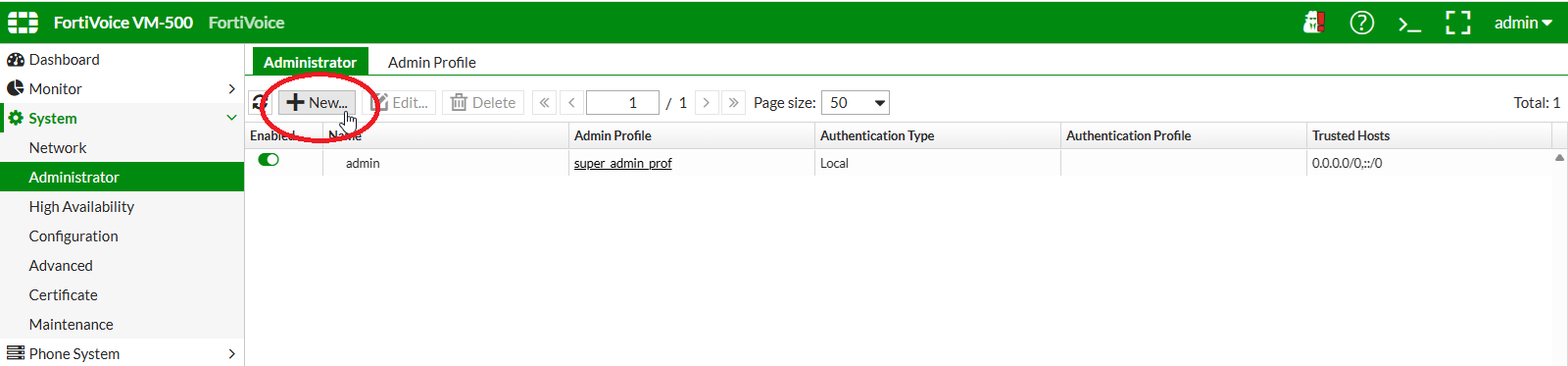
On the FortiVoice web administration page, select System and Administrator on the left-hand menu.
Select the Administrator tab to manage administrators.
Click the New button to create a new administrator.
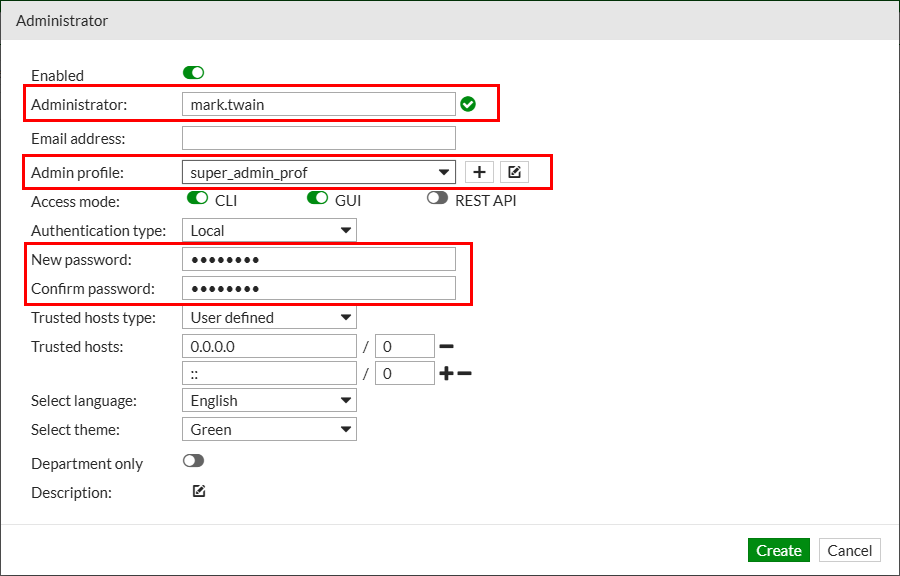
Complete the following fields to create a new administrator account:
- Administrator:
mark.twain(username of the new administrator) - Admin profile: select
super_admin_prof - Authentication type: select
Local - New password:
fortinet - Confirm password:
fortinet
Click the Create button at the bottom of the page to create the new administrator.
Log out of the FortiVoice web administration page by clicking on the upper-right menu and selecting Log Out.

Sign in to the FortiVoice web administration page using the newly created administrator:
- Username:
mark.twain - Password:
fortinet
