Manage RADIUS authentication for administrators
A RADIUS server is available in the training environment. It provides authentication for user jane.doe with password fortinet.
Log back in to the FortiVoice web administration page using the admin account (password fortinet4A!!).
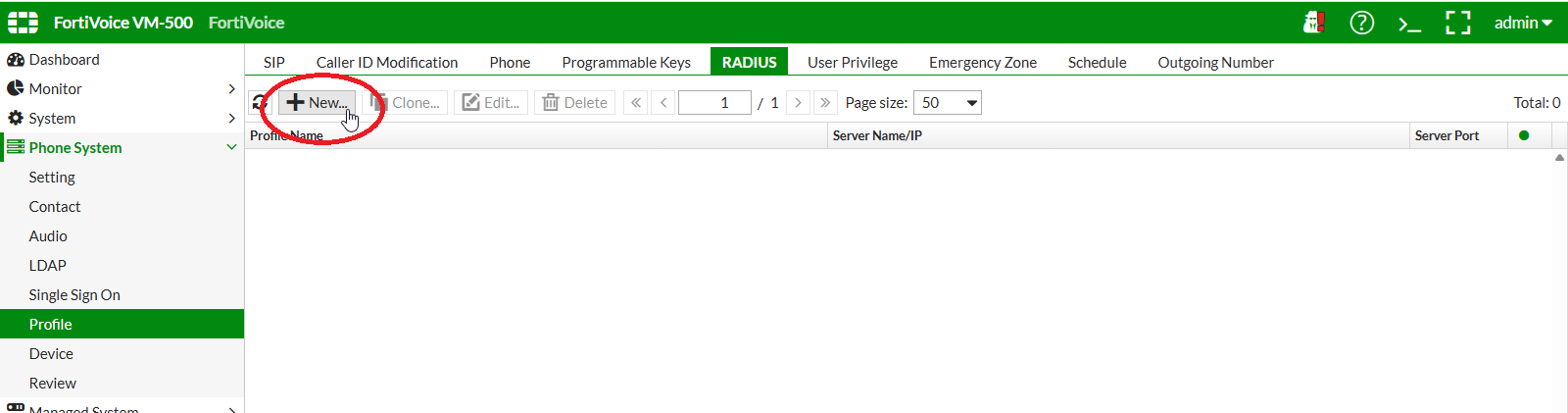
Select Phone System and Profile on the left-hand menu.
Select the RADIUS tab to manage RADIUS server profiles.
Click the New button to create a new RADIUS server profile.
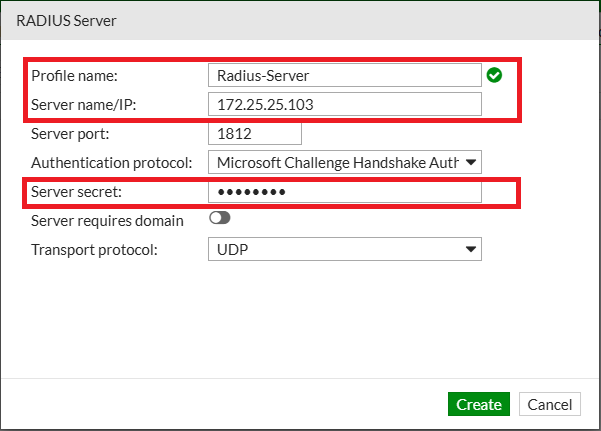
Complete the following fields to create a new RADIUS server profile:
- Profile name:
Radius-Server - Server name/IP:
172.16.10.250 - Server secret:
fortinet
Click the Create button at the bottom of the page to create the new RADIUS server profile
On the FortiVoice web administration page, select System and Administrator on the left-hand menu.
Select the Administrator tab to manage administrators.
Click the New button to create a new administrator.
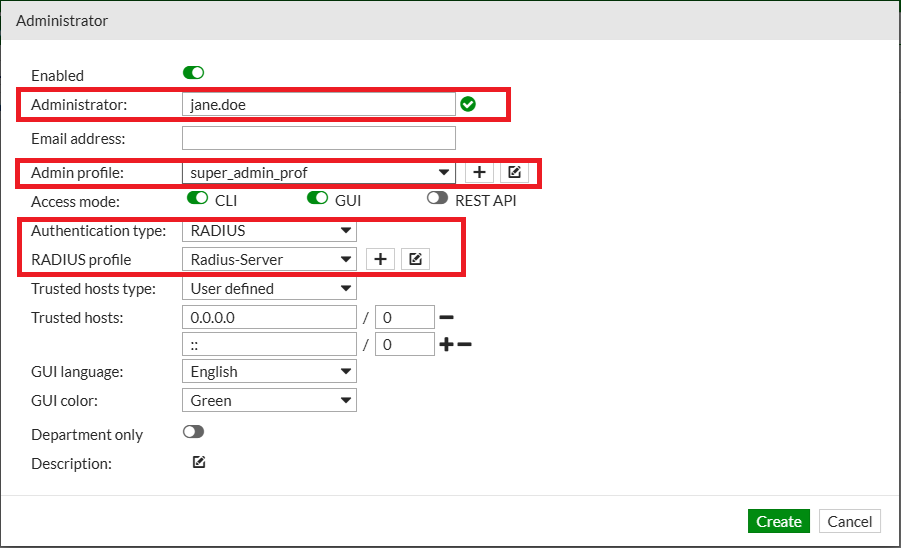
Complete the following fields to create a new administrator account:
- Administrator:
jane.doe - Admin profile: select
super_admin_prof - Authentication type: select
RADIUS - RADIUS profile: select
Radius-Server
Click the Create button at the bottom of the page to create the new administrator.
Log out of the FortiVoice web administration page and sign in to the FortiVoice web administration page using the newly created administrator:
- Username:
jane.doe - Password:
fortinet
