Create a SIP trunk
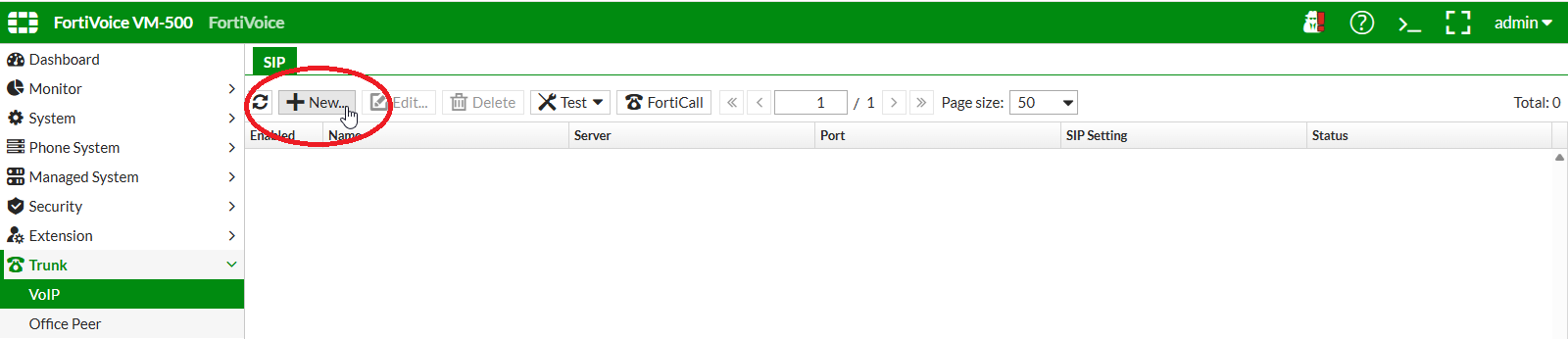
On the FortiVoice web administration page, select Trunk and VoIP on the left-hand menu.
Select the SIP tab to manage SIP trunks.
Click the New button to create a new SIP trunk.
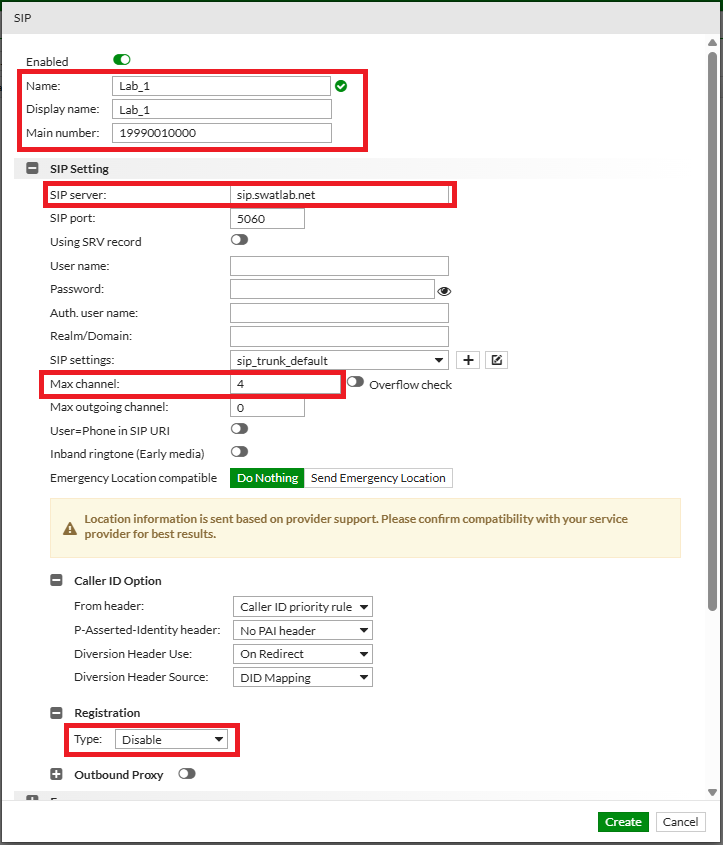
Complete the following fields to create the new SIP trunk (replace NN with your assigned two-digit lab number).
- Name:
LAB_NN - Display name:
LAB_NN - Main number:
19990NN0000(for example, Lab 1:19990010000; Lab 12:19990120000) - SIP server:
sip.swatlab.net - Max channel:
4 - From header: select
Caller ID priority rule - Registration Type:
Disable
Click the Create button at the bottom of the page to create the new SIP trunk.
Verify the newly created SIP trunk. The Status column should indicate In service.
The trunk status may take a short time to update. Refresh the SIP trunk page as needed.
To refresh the page, you can use the refresh button located on the upper-left of the table.
