Manage inbound call routing
Inbound call routing rules determine how FortiVoice handles external incoming calls that are not routed by a DID mapping. Rules can match the caller ID or called number and apply one or more call-handling actions.
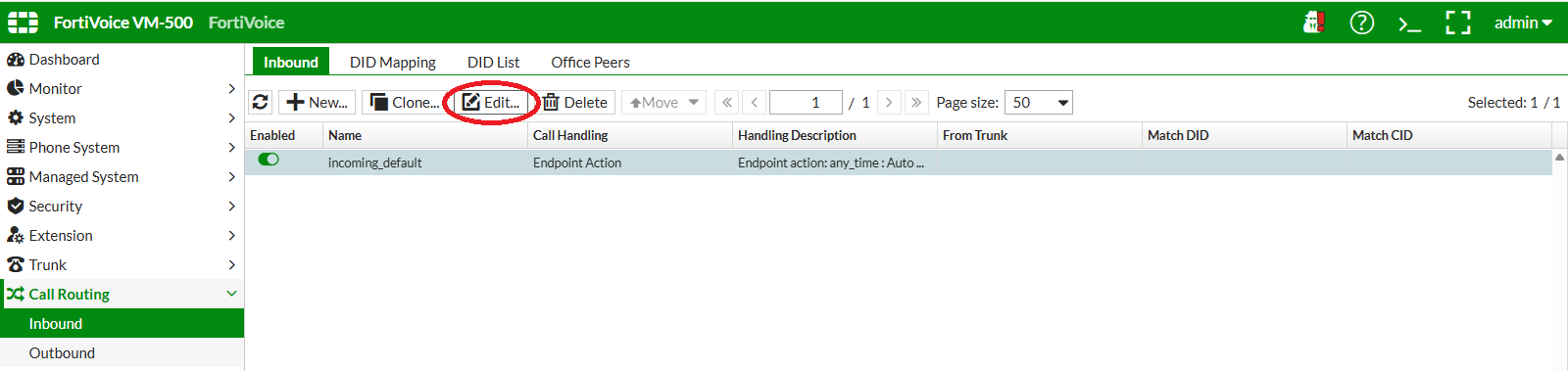
On the FortiVoice web administration page, select Call Routing and Inbound on the left-hand menu.
Select the Inbound tab to manage inbound call routing rules.
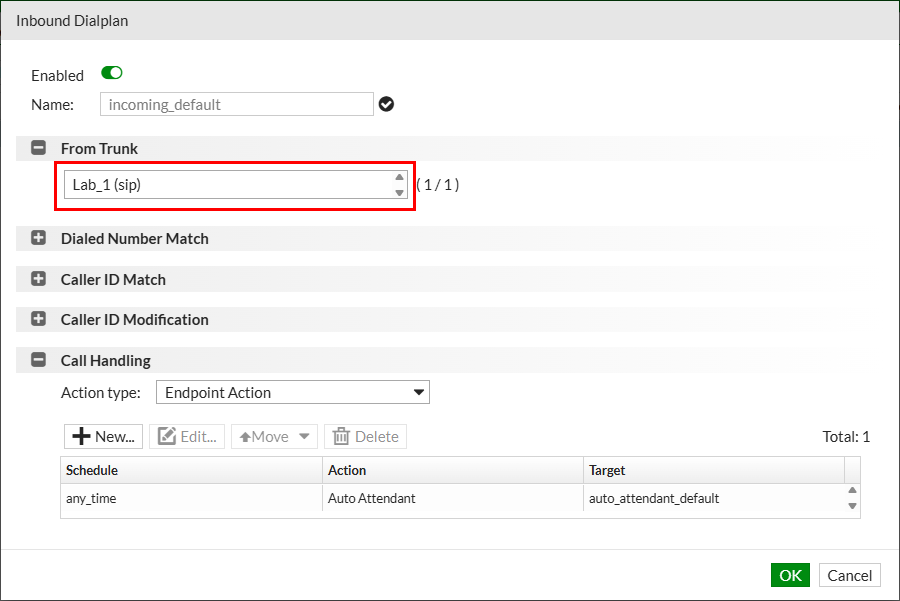
Select the incoming_default rule and click the Edit button to edit the inbound call routing rule.
Complete the following fields to assign Lab_N SIP trunk to this inbound call routing rule (replace NN with your assigned two-digit lab number):
- From Trunk: select
LAB_NN
Notice in the Call Handling section that the default action for this inbound call routing rule is to route the calls to the predefined auto_attendant_default automated attendant.
Click the OK button at the bottom of the page to update the inbound call routing rule.