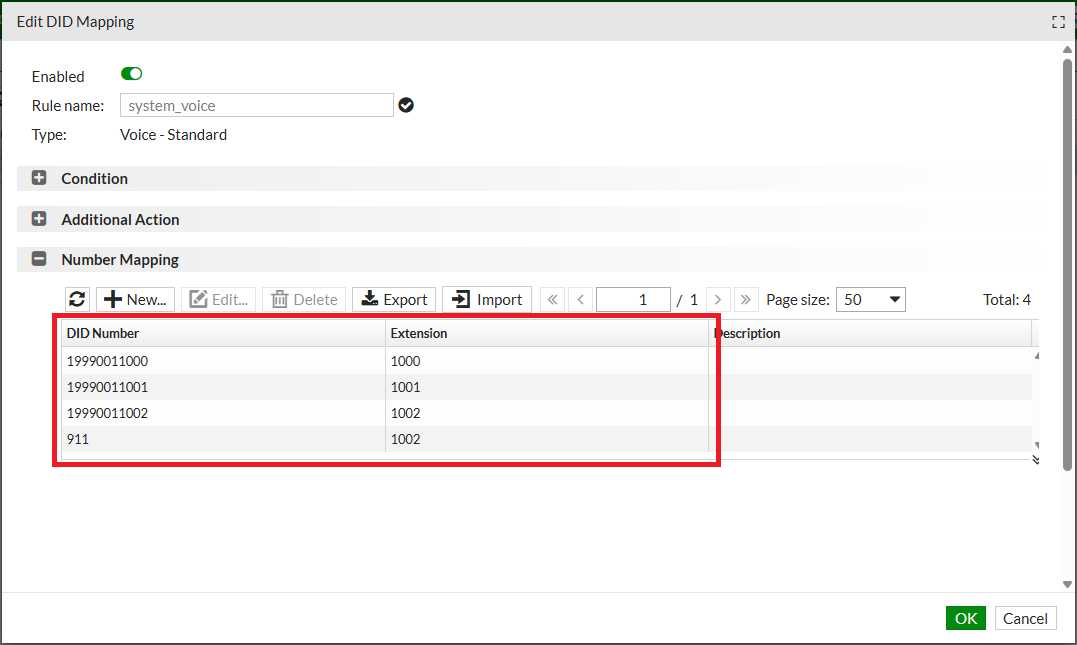
Manage DID mapping
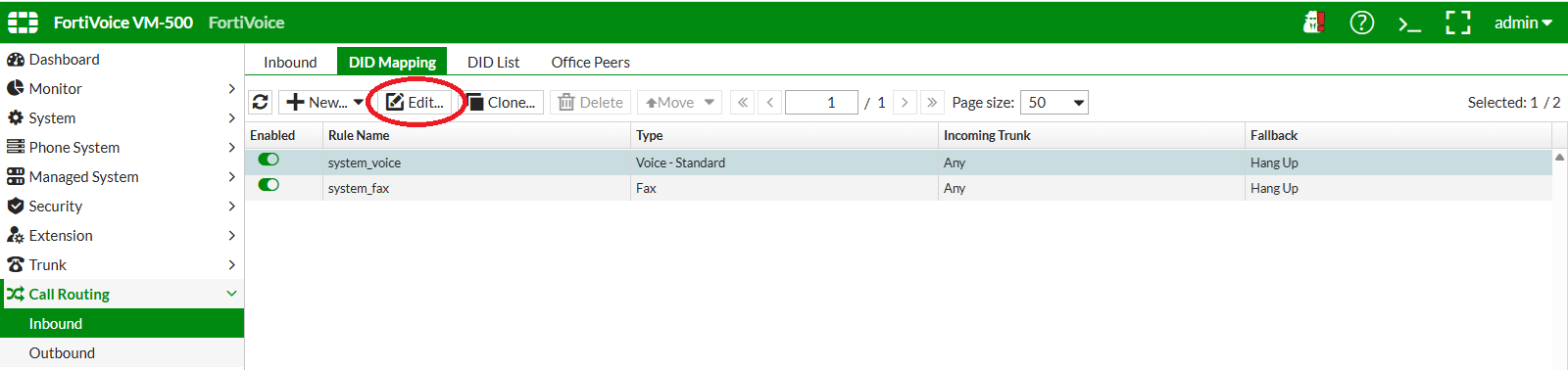
On the FortiVoice web administration page, select Call Routing and Inbound on the left-hand menu.
Select the DID Mapping tab to manage DID mapping rules.
Select the system_voice rule and click the Edit button to edit the DID mapping rule.
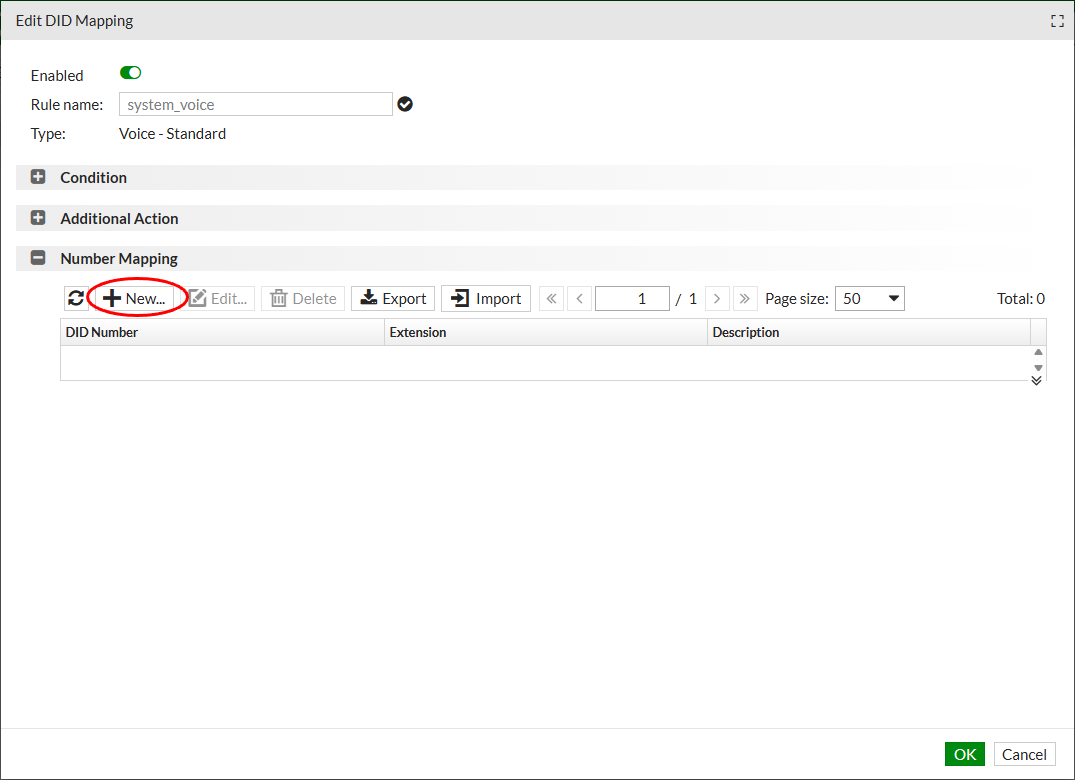
In the Number Mapping section, click the New button to add a new DID mapping
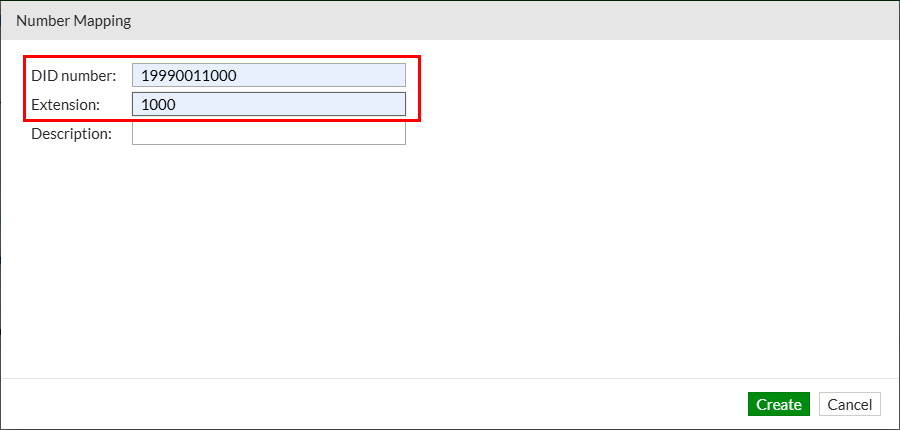
Complete the following fields to map extension 1000 to DID 19990NN1000 (replace NN with your assigned two-digit lab number):
- DID number:
19990NN1000 - Extension:
1000
Click the Create button at the bottom of the page to create the new DID mapping.
Repeat previous steps to:
- Map extension 1001 to DID 19990NN1001
- Map extension 1002 to DID 19990NN1002
- Map DID 911 to extension 1002. This mapping simulates a Public Safety Answering Point (PSAP) for the E911 exercise later in the lab.